RESOURCES
Resources
Everything is written down, so every team gets the same information. There are no workshops or live Q&A sessions for teams; the free taster sessions in the December holidays are optional and cover nothing a team needs that isn’t written here.
 Warm-ups
 AI tools
 Free student plans
 No account needed
 Free courses
 AI Agents
 Templates


Tinker first: three warm-ups before you build
For Explorer World teams (ages 7–12), about an hour in total.
Adapted with thanks from the AI Tinkery Activity Library, Stanford Accelerator for Learning.
15 minutes
1. AI or not?
Sort everyday things, like a calculator, a voice assistant, a self-checkout and a game character, into “AI” and “not AI”. Then write your own one-line rule for what makes something AI.
Why it helps: judges will ask what the AI does in your project. Your rule is the start of your answer.
Original: CRAFT
15 minutes
2. Doodle and guess
Play Quick, Draw!: draw, and watch the computer guess. Try to fool it, then try to help it.
Notice: what did it get wrong, and why do you think it did?
Why it helps: for AI Art teams, this is a first look at how an AI “sees” a drawing.
Original: AI Tinkery, “Quickdraw”
30 minutes
3. Teach a computer your moves
In Teachable Machine, train a pose model: show it three poses with about ten examples each, then test it with a friend.
Notice: what happens with fewer examples, or a messier background?
Why it helps: AI Robotics teams can use a model like this to make a character react to a hand sign, one of our easy ways in.
Original: AI Tinkery, “Teachable Machine: Pose Model”
Write it down: after each warm-up, add one entry to your build log: what you tried, what surprised you, and one thing you’d change.

The full pack unlocks once your place is confirmed
Your track’s challenge, a starter card, tools, templates and extra sheets appear on your team page. Please don’t post the full brief publicly.
Robotics: no robot? No problem.
Any build counts. Here are three easy ways in, all judged the same, against the same checklist.
Screen
A Scratch character or a simulated robot that reacts to your own sound, hand sign or drawing.
Cardboard
A cardboard body with a laptop, tablet or phone camera as its eyes.
Kit
A micro:bit, a robot car, a small desktop robot, an old Android phone or any kit you already have.
Judges score the loop, your tests and your decisions, not the hardware. Free, no-account tools can earn full marks. Anything on battery or USB counts, but no drones and no mains power.
AI tools
- Any AI platform or tool, in every division and at every age. These lists are suggestions; free tools can earn full marks.
- Under 18? A parent or guardian sets up and looks after the accounts.
- Credit every tool and model you use in your project intro and process log.

Each tool also sets its own minimum age in its terms: AI tool age limits.
AI platforms: open to every age
ChatGPT
Chat, voice, photos, Projects, research help and quick prototypes
Free planCodex
Have AI write, run and fix a small app or web page for you
With a ChatGPT accountClaude
Writing, feedback, and small web pages and games (Artifacts)
Free plan · ages 18+Claude Code
AI that builds and fixes whole projects on your computer
Paid plan · ages 18+ · never requiredGemini
Chat, photos, Canvas (one sentence to a web page or app), images and Gems
Google accountGemini Notebook (formerly NotebookLM)
Answers only from the sources you choose; turns notes into audio overviews
Google accountMicrosoft Copilot
Research help, text tasks
Microsoft accountCanva / Adobe Express
Design and AI image tools
Personal or school accountSuno
AI music
Free plan: personal use onlyGenerate and edit music, singing and sound effects from your own code
Account holder 18+Split a song into vocals, drums, bass and other stems, or pull dialogue out of a recording
Account holder 18+Google Colab
Python notebooks, training models
Google accountReplit
Building and hosting small apps
Keep apps privateHugging Face
Pretrained models and datasets
Stick to well-known modelsKaggle
Datasets and notebooks
Kaggle accountApp Inventor (main site)
Phone apps
Google sign-in


Account notes, in full
| Tool | Good for | Account notes |
|---|---|---|
| ChatGPT | Chat, voice, photos, Projects, research help and quick prototypes | The free plan is enough to start. |
| Codex | Have AI write, run and fix a small app or web page for you | Comes with a ChatGPT account. On the free plan it runs in the Codex desktop app on Mac or Windows. |
| Claude | Writing, feedback, and small web pages and games (Artifacts) | 18+ only; under-18s use it through a teacher's or parent's demo. The free plan has a usage limit that resets every few hours. |
| Claude Code | AI that builds and fixes whole projects on your computer | Needs a paid Claude plan, 18+ only. Free tools can earn full marks, so it's never required. |
| Gemini | Chat, photos, Canvas (one sentence to a web page or app), images and Gems | Works with a Google account (Gmail). Free use has limits that refill over time. |
| Gemini Notebook (formerly NotebookLM) | Answers only from the sources you choose; turns notes into audio overviews | Works with a Google account. |
| Microsoft Copilot | Research help, text tasks | Works with a Microsoft account. |
| Canva / Adobe Express | Design and AI image tools | Personal or school accounts. |
| Suno | AI music | Free-plan music is for personal, non-commercial use only: list it in your credits. |
| Soundverse API | Generate and edit music, singing and sound effects from your own code | The account holder must be 18 or over (older where the age of adulthood is higher). Younger teams: a teacher, parent or adult mentor opens the account, keeps the API key and runs it with the team. Never put the key in shared code. |
| Soundverse API docs | How to get a key and call each Soundverse API endpoint | Free to read; no account needed. |
| AudioShake | Split a song into vocals, drums, bass and other stems, or pull dialogue out of a recording | The account holder must be 18 or over. Younger teams: a teacher or parent opens the account and uses it with the team. |
| Google Colab | Python notebooks, training models | Google account. |
| Replit | Building and hosting small apps | Keep your app private or link-only, and never put passwords or API keys in shared code. |
| Hugging Face | Pretrained models and datasets | Many community models and datasets aren't checked for young people: stick to well-known ones, and stop and tell an adult if you see something upsetting. |
| Kaggle | Datasets and notebooks | Kaggle account. |
| App Inventor (main site) | Phone apps | Google sign-in. |
Building an app by describing it to AI: vibe coding for kids and teens.
Free student plans you can claim yourself
AI that suggests and explains code as you write it, plus the rest of the GitHub Student Developer Pack
Free · ages 13+ · student checkGoogle AI Plus student plan (Gemini)
Higher Gemini limits, study notebooks, visuals and Gemini Live
Free for 1 year · ages 18+Designing app screens and posters, with Figma's AI tools such as Figma Make
Free · ages 13+, or through school3D design for robot parts, cases and props you can 3D-print
Free · non-commercial · apply by email
Who can claim it, in full
| Tool | Good for | Who can claim it |
|---|---|---|
| GitHub Copilot Student | AI that suggests and explains code as you write it, plus the rest of the GitHub Student Developer Pack | For students aged 13 or older in a school, polytechnic, university or homeschool. Apply on GitHub with proof you're enrolled, such as a student ID or school letter. |
| Google AI Plus student plan (Gemini) | Higher Gemini limits, study notebooks, visuals and Gemini Live | For college and university students aged 18 or older. Claim by 31 December 2026. A payment method is needed at sign-up, and the plan charges SGD 6.98 a month after the free year unless you cancel. |
| Figma for Education | Designing app screens and posters, with Figma's AI tools such as Figma Make | Free for students and teachers. Students over 13 sign up themselves; for younger students, the school contacts Figma and signs its terms for schools. |
| Canva for Education | Posters, slides and visuals for your project | Free for primary and secondary schools in any country. A verified teacher sets it up and invites students; it isn't open to university students. |
| Plasticity academic licence | 3D design for robot parts, cases and props you can 3D-print | Plasticity gives a free academic licence for non-commercial use (the Indie version). Email Plasticity from its website to apply. |
Partner power-ups for registered teams
Once your place is confirmed, your team page lists every power-up your team can use, each with its link or code and how to claim it. The person who registered your team has its link, in our first email to them and again in the “You’re confirmed” email. By tool: student discounts and free tools for YAI teams.
 Prize
VIP memberships
For every member of the top 3 teams in Secondary and University: 2 years, 1 year and 6 months.
 For participants
A free month of n8n Cloud Pro
300 for eligible registered participants. Redeem by 20 Jan 2027.
- SSOJetPrize
5 SSOJet Business licences
One year each, for the AI Agents quest winners.
 For participants
A free .xyz domain
Free for the first year. 350 for eligible registered participants; under-18s through a parent or lead adult.
 For participants
Prune Pro
Free until 9 Jan 2027 for eligible teams (18+), plus Best Use of Prune prizes of 12, 6 and 3 months of Pro.
 For participants
An Anvil educational licence
Many of Anvil's paid features, for 100 registered participants until the end of February 2027. Under-18s join through a parent or school.
+15 more power-ups · see all 21Show fewer
 For participants
Supervisely computer-vision platform
Free access for registered teams to label images and video for AI Robotics and AI for Good projects, 14 Dec 2026 to 9 Jan 2027.
- SentiSight.aiFor participants
€50 of SentiSight.ai credit
For registered teams in every division, 1 Dec 2026 to 9 Jan 2027: label images and train image-recognition models online. €50 of credit per account; accounts are for ages 16+, so a teacher or parent creates the account for younger participants.
- MagnificFor participants
30% off Magnific Premium
AI image generation and upscaling for the AI Art quest: 30% off the Premium monthly plan for University-division teams whose members are all 18 or over (no under-18 access, even through a parent). 50 uses, until 28 Feb 2027.
 Prize
Plasticity Studio licences
For every member of the six winning teams in AI Art and AI Robotics & Smart Devices (one per division): up to 24 Studio licences for 3D design.
- OSOYOOFor participants
20% off OSOYOO robot cars
For registered teams building for the AI Robotics & Smart Devices quest: 20% off any OSOYOO robot car. After the event, OSOYOO refunds the robot car in full for the top 3 AI Robotics & Smart Devices winners.
 For participants
PCBWay build funding
Apply to PCBWay's Future Innovators Program: 50% of eligible manufacturing costs covered, up to US$200 (one application per person). The team that wins the Best Robotics & Embodied AI Award also gets US$120 of PCBWay credit.
 For participants
StoryMint free until 9 Jan
AI storybooks for every student in a registered team: unlimited picture books and colouring books, 3 novels, 1 comic and PDF downloads until 9 Jan 2027, with a code of your own on your team page. 300 codes. Under-18 accounts are managed by a parent or teacher.
- Rosebud AIFor participants
150,000 Rosebud AI credits
Make games with AI: 150,000 credits each for participants aged 13+ in Secondary and University, 200 packs. Claim once on your own account from 10 Dec; credits last a month from when you claim.
- AuphonicFor participants
25 hours of free Auphonic audio processing
Clean, even sound for your demo video and pitch: sign up through the link on your team page from 10 Dec for 25 free hours, valid for a month after you sign up. Under-18s sign up with a parent.
- Little LifeFor participants
100 Little Life AI Academy accounts
Accounts on Little Life AI Academy's AI learning platform, for registered participants to learn at their own pace.
 Prize
Fueler Pro for the winners
For each member of the champion, first runner-up, second runner-up and Community Choice teams in every division: a Fueler Pro portfolio upgrade (US$100 at Fueler's price). After the event, each winner who wants it signs up on Fueler and sends Fueler their profile link.
- MovaviFor participants
Movavi Video Editor for your team
Edit your demo video with Movavi Video Editor, including Templates & Effects: one activation key per team, on your team page, valid until 20 Jan 2027. 100 keys.
- MakerzoidPrize
Makerzoid Prize (opens in a new tab)
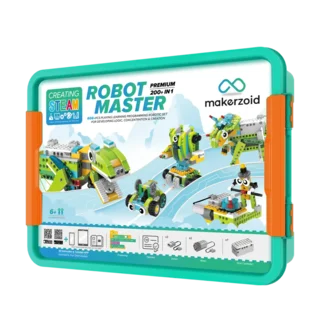
Two Robot Master Premium kits for the best robotics project in the Primary division.
 Prize
AudioShake API credits or Studio
For the AI Art winning team in each division: 500 AudioShake API credits or a 3-month AudioShake Studio subscription, the team's choice.
 Prize
A year of Mobbin Pro
For each member of the University winning team in each quest who wants it: a year of Mobbin Pro (Mobbin accounts are 18+). After the event, with each member's OK, we pass their Mobbin email to Mobbin.
Codes reach registered participants on their team page; partners never receive student or parent lists. All partners ▶
Starter tools that need no account
Teachable Machine
Training image, sound or pose models in the browser
No accountMachine Learning for Kids
Training text, picture, number or sound models and using them in Scratch
Class account from an adultScratch
Interactive stories, games and on-screen robots
Free accountScratchJr
Simple story apps for the youngest
No accountWordplay (University of Washington)
Interactive stories made of words, emoji and code, in many languages
No account to startmicro:bit CreateAI + MakeCode
Movement and gesture models for a micro:bit
No loginMIT App Inventor (code.appinventor.mit.edu)
Simple phone apps
No accountCode.org AI tutorials
Learning the basics first
No account to tryTinkercad
3D cases and simple circuits
Class code or parent's OK


Account notes, in full
| Tool | Good for | Account notes |
|---|---|---|
| Teachable Machine | Training image, sound or pose models in the browser | No account. Training happens in your browser and your examples stay on your device unless you save them to Google Drive. An adult stays nearby while the camera or microphone is on. |
| Machine Learning for Kids | Training text, picture, number or sound models and using them in Scratch | A teacher or responsible adult creates a class account; students don't need an email or real name. The "Try it now" mode deletes projects after 4 hours, so use a class account for your project. |
| Scratch | Interactive stories, games and on-screen robots | Younger students may need a parent's email to confirm the account. You don't need to share projects publicly: submit the downloaded file. If you do share, use no real name, school or photo, and you can turn comments off. |
| ScratchJr | Simple story apps for the youngest | Free app; projects stay on the device; no account. |
| Wordplay (University of Washington) | Interactive stories made of words, emoji and code, in many languages | Free, and no account needed to start. Log in only to save your projects, work together and share. Projects stay private unless you share them. |
| micro:bit CreateAI + MakeCode | Movement and gesture models for a micro:bit | No login. Running the model on the device needs a micro:bit V2. Optional: only if you already have one. |
| MIT App Inventor (code.appinventor.mit.edu) | Simple phone apps | No account. Write down your revisit code and export a backup file (.aia). |
| Code.org AI tutorials | Learning the basics first | Try without an account (progress isn't saved). |
| Tinkercad | 3D cases and simple circuits | Through a teacher's class code, or with a parent's approval. |
| Defold | 2D and 3D games for the web, phones and computers | A free game engine for Windows, macOS and Linux, with nothing to sign up for. Free tutorials are on its Learn page. |
| Robomation Block Composer | Programming robots in blocks or Python | From age 7. Switch between blocks and Python, with a live Python preview. You can build programs without a robot; running them needs a Robomation robot, such as Hamster S. |
| Robomation teaching materials | Lessons and activities for Robomation's robots | From age 7. Free to read; the activities use a Robomation robot. |
| RobomationLAB guide | How each Block Composer block and robot works | From age 7. A free online guide to Block Composer. |
| Makerzoid Robot Master Premium | Building and coding robots from a 200-in-1 kit | A kit you buy from Makerzoid. Optional: every robotics project can be built on screen, with no kit. |
What to build with Teachable Machine: Teachable Machine project ideas, by age. Looking for Scratch competitions? Scratch competitions for kids in Singapore.
Free courses for older students
A free course in Snap!, a block-based language, for middle school and early high school
Free · no sign-upBJC CS Principles (UC Berkeley)
A free course in Snap!, a block-based language, for high school
Free · no sign-upA free first course in Python, in small live online sections
Free · ages 13+ · each springNeuromatch Academy: Deep Learning
A free deep learning course in Python notebooks, from the basics to transformers and reinforcement learning
Free materials · no sign-upProbability: The Science of Uncertainty and Data (MIT, 6.431x)
MIT's online probability course, the maths behind machine learning
University division · runs in sessions

Notes, in full
| Tool | Good for | Notes |
|---|---|---|
| BJC Sparks (UC Berkeley) | A free course in Snap!, a block-based language, for middle school and early high school | Free, and students need no sign-up. Teachers sign up only to see the assessments and solutions. |
| BJC CS Principles (UC Berkeley) | A free course in Snap!, a block-based language, for high school | Free, and students need no sign-up. Teachers sign up only to see the assessments and solutions. |
| Code in Place (Stanford) | A free first course in Python, taught online in small live sections led by volunteer section leaders | Runs once a year in spring: watch the site for the next round. Applicants must be 13 or older. A good next step for older students, during or after the hackathon. |
| Neuromatch Academy: Deep Learning | A free deep learning course in Python notebooks, from the basics to transformers and reinforcement learning | The course materials are free online. The live academy is a paid online course each July, led by paid teaching assistants, with tuition adjusted by country; applications for 5–23 July 2027 open in February 2027. Best for university students who already know some Python. |
| Probability: The Science of Uncertainty and Data (MIT, 6.431x) | MIT's online probability course: probabilistic models, random processes and the basics of statistical inference, the maths behind machine learning | For University-division students. Runs on edX in sessions of about 16 weeks with set deadlines; no session is open for enrolment right now, so check the course page for the next one. A challenging course: it expects college-level calculus (single-variable and multivariable). Its lecture videos are free to watch any time on MIT OpenCourseWare (Introduction to Probability, RES.6-012). |
How to teach AI at each age: a framework for teachers
AI4K12 Five Big Ideas: five big ideas in AI (perception, representation and reasoning, learning, natural interaction, and societal impact), with guidelines for each grade band from kindergarten to grade 12. Sponsored by the Association for the Advancement of Artificial Intelligence (AAAI) and the Computer Science Teachers Association (CSTA).
Ready to run one? A free one-hour AI lesson for the classroom, with a printable AI words worksheet (PDF) and 27 AI words explained simply.
Good habits with any tool
- Teen mode, or a tool missing where you live? Use any AI tool you can get.
- Never put other people's private information into an AI tool.
- Keep safety and teen settings on, and never get around them. Testing your own AI Agent's rules? Fair tricks only.
- Never put passwords or API keys in a shared project or in code others can see.
- Save often, export backups and keep the original AI outputs: they're your evidence.


AI Agents: tools for building your teammate
- Fill in your Agent Card on paper.
- Act it out: one of you plays the teammate while family ask your test questions.
- Build it on any AI platform you like.
No tool is required, free tools can earn full marks, and a partner's tool earns no extra points.
ChatGPT Projects
The project instructions are your teammate's role, vibe and rules.
Use a ProjectGemini Gems
Write your teammate's instructions and add 1–3 knowledge files you wrote yourself.
Share only with named peopleClaude Projects
The project instructions are your teammate's role, vibe and rules.
Free plan · ages 18+Build your teammate as a chatbot with a visual editor and knowledge files you wrote yourself.
Free accountGemini Notebook (formerly NotebookLM)
Your teammate's knowledge: it answers only from the sources you choose.
Google accountMachine Learning for Kids + Scratch (Pick-the-answer)
It sorts questions into a few kinds; you write every answer
Class account from an adultMIT App Inventor with the ChatBot block
Turn your teammate into a phone app.
No account · no real namesCodeAI (Code.org) AI Chat Lab
Customise a chatbot and write its model card.
Class section from an adultDify, Flowise or Coze Studio on your own computer, with a local model (for example via Ollama)
Build a full agent with knowledge and test tools.
Runs on your computerYour own API key (OpenAI, Anthropic or Google, in Python or App Inventor)
Full control over your teammate.
Keep keys out of shared code

Account notes, in full
| Tool | Good for | Account notes |
|---|---|---|
| ChatGPT Projects | The project instructions are your teammate's role, vibe and rules. | Personal accounts can't create new GPTs, so use a Project. |
| Gemini Gems | Write your teammate's instructions and add 1–3 knowledge files you wrote yourself. | Share your Gem only with named people, such as the judges, never as public. Anyone you share it with can read its instructions and files. |
| Claude Projects | The project instructions are your teammate's role, vibe and rules. | 18+ only; under-18s use it through a teacher's or parent's demo. The free plan has a usage limit that resets every few hours. |
| Botpress (free plan) | Build your teammate as a chatbot with a visual editor and knowledge files you wrote yourself. | Free plan. Under 18? A parent or guardian sets up and looks after the account. |
| Gemini Notebook (formerly NotebookLM) | Your teammate's knowledge: it answers only from the sources you choose. | Works with a Google account. |
| Machine Learning for Kids + Scratch (Pick-the-answer) | Teach the model to sort what people ask into a few kinds. In Scratch, you write every answer your teammate gives, and when it isn't sure it says "Ask a grown-up." | A teacher or responsible adult creates a class account. Students don't need an email or real name. Use the YAI Scratch starter project from your resource pack. |
| MIT App Inventor with the ChatBot block | Turn your teammate into a phone app. | No account. Your chat goes through MIT's server to an AI model, so never type names, addresses or school names. There's a free daily limit, so share a recording, not the app. |
| CodeAI (Code.org) AI Chat Lab | Customise a chatbot and write its model card. | A teacher or parent sets up a class section. |
| Dify, Flowise or Coze Studio on your own computer, with a local model (for example via Ollama) | Build a full agent with knowledge and test tools. | No account, and your data stays on your computer. List each model's licence in your credits. Short on time? A Gem or a Project is enough; tools don't earn marks. |
| Your own API key (OpenAI, Anthropic or Google, in Python or App Inventor) | Full control over your teammate. | Never put keys in shared code. |

Sharing your build
Optional. Use the safe-share checklist and the two tags; a post can count for the Reach Bonus. Share your build
Templates
Project intro template
- One sentence
- The idea or problem
- How to use or watch it
- AI's job, with one piece of evidence
- Boss Check
- What we tested
- Limits
- Help and credits
- Who did what
Process log template
- Date
- What we did
- What the AI did, and what we decided
- What we changed, and why
- Help received
- Evidence
At least 3 / 4 / 5 key entries for Primary / Secondary / University, each in the template's table; one-line notes in between are optional. To close your log, answer: What did you do, and what do you wish you had done? Then each member fills in their own individual reflection at the end of the log (required; not scored).
How to write a process log, with an example
Fill-in template (Word) · Fill-in template (PDF, to print) · What you hand in (PDF) · What you hand in, in Chinese (PDF)

Talk planner
- The idea
- Demo
- AI and how you made it
- Testing and what you improved
- What you learned
Five parts. No need to buy slides or training.
Milestone plans
- Join by Sat 21 Nov: the Holiday Build
- Join in December: a two-week plan
- Join in the last week: a 7-day plan
Suggestions only; no effect on scores.
Communication tips
- Show not just Tell: explore expressing your idea multimodally beyond words
- Stories are Powerful: share why you chose to do this project and why it matters
- Test your Communications: present to someone unfamiliar with your project for feedback
Tips from Associate Professor Victor Lim, National Institute of Education, NTU
Ask a question in writing
Email support@ycess.com, with your Team ID in the subject if you have one. We answer within 2 working days (Singapore); common questions go into the FAQ.